Zendesk vs Intercom: Features, Pricing and Use Cases
October 27, 2026
0
For teams comparing Zendesk vs Intercom, Zendesk is the stronger starting point when ticket routing across several teams drives the purchase. Intercom deserves the first look when customers
For teams comparing Zendesk vs Intercom, Zendesk is the stronger starting point when ticket routing across several teams drives the purchase. Intercom deserves the first look when customers mostly ask for help inside your product and you want Fin, its AI agent, tied closely to those conversations.
Both handle tickets, chat, and AI, so the real difference is packaging and cost. A billing dispute shows why: the customer needs an answer, finance needs to review the charge, and someone must own the case until it closes. This comparison follows that work, and what each product charges for it.
Last reviewed: October 27, 2026. Pricing verified: October 2026. This is a documentation-based comparison, not a hands-on product test.
Zendesk vs Intercom at a Glance
Your priority
Zendesk
Intercom
Ticket operations
Views, business rules, and routing controls
Conversations plus Customer, Back-office, and Tracker tickets
In-app support
Messaging and live chat in Suite plans
Messenger built around the inbox and Fin
Skills-based routing
Suite Professional ($115)
Advanced ($85) adds Workflows and round-robin
SLAs
Suite Growth and above; group SLAs on Enterprise
Expert ($132)
AI billing
$1.50 per verified resolution (committed) or $2 pay-as-you-go
$0.99 per Fin outcome, max one per conversation
Trial
14 days on Suite Professional
14 days, including Fin and add-ons
Prices are per agent or seat per month, billed annually. Neither product is limited to one company size; the gap is in what each tier unlocks.
Ticketing, Messaging, and Live Chat
Ticket Ownership, Routing, and SLAs
Zendesk is a strong pick when the main problem is sending work to the right team. Its routing options include automatic assignment and queues agents pull from, and Suite Professional adds skills-based routing. That matters when a billing question needs a different owner than a bug report. Someone still has to maintain those rules as teams change.
Intercom splits quick conversations from longer cases. Its ticket categories cover three jobs: Customer tickets track one request, Back-office tickets coordinate internal work such as a refund for finance, and Tracker tickets group many reports of the same issue. A chat-first tool can still run multi-team cases.
An SLA sets a response or resolution target. Zendesk SLA policies start on Suite Growth, and Enterprise adds group SLAs for internal handoffs; they don’t apply to AI agent tickets. Intercom SLAs cover conversations and tickets but require Expert. Check business hours and pause rules, not just whether the feature exists.
Live Chat and In-App Support
Intercom is the natural first choice when customers ask for help while using your SaaS product. Every plan includes live chat, in-app chat, and email. Zendesk offers messaging and live chat through Suite, which suits teams that handle email, chat, and calls in one queue.
Both sell phone support, so older comparisons calling Intercom chat-only are out of date. Product tours and in-app campaigns are a separate purchase: Intercom’s Proactive Support Plus add-on costs $99/month. If tours matter most, compare dedicated in-app guided tour tools too.
AI Agents, Automation, and Self-Service
Fin and Zendesk AI Agents
Both vendors sell AI that answers customers and takes action in connected systems. Zendesk’s AI agent documentation describes answers drawn from knowledge sources, procedures, and actions in authorized systems. Intercom’s Fin uses data connectors and Procedures to look up account data and follow multi-step processes. Our explainer on agentic AI in SaaS tools covers how these agents differ from chatbots.
Customer-facing AI is separate from agent assistance. Zendesk Copilot costs $50 per agent/month; Intercom Copilot costs $29 per agent/month. Budget the two separately.
For the billing case, test whether the AI can tell published policy from a customer’s account details, recognize an exception, and pass full context to a person. Documentation shows the capability exists, not which product handles your cases better.
Knowledge Bases and Human Handoffs
Zendesk includes a help center in Suite. Intercom Essential includes a public help center, and Advanced adds private and multilingual ones. If documentation is the main purchase, our guide to knowledge base software for SaaS covers dedicated options.
Name an owner for help content on either platform, and decide who receives exceptions. Otherwise customers repeat themselves after the AI has already collected the details.
Reporting, Integrations, and Setup
Zendesk offers analytics for service performance. Intercom has prebuilt reports on every plan and custom reports on Advanced and Expert, with over 100 chart templates. Ask each vendor to rebuild the report your support lead needs, and check definitions: does first response time exclude off-hours, and does “resolved” mean the conversation or the underlying ticket?
Check what each integration actually does. Showing account data beside a chat, sending an alert, and updating a billing record are different jobs; our explainer on native integrations vs automation connectors explains the difference. If a native connection can’t reach finance, price a Zapier or Make workflow before adding another tool.
Run a small sample migration first. Moving conversations, attachments, custom fields, and users does not recreate routing rules, reports, or help-center permissions.
Zendesk vs Intercom Pricing in 2026
Plan
Per agent/seat per month, billed annually
What it adds
Zendesk Support Team
$19
Core email ticketing
Zendesk Suite Team
$55
Messaging, live chat, voice, help center, AI agents
Zendesk Suite Professional
$115
Skills-based routing, IVR, AI insights
Zendesk Suite Enterprise + Copilot
Contact sales
Approval workflows, sandbox, custom roles
Intercom Essential
$29 ($19 new-customer offer)
Fin, Messenger, shared inbox, public help center
Intercom Advanced
$85
Workflows, round-robin, private help center, 20 free Lite seats
Intercom Expert
$132
SLAs, SSO, HIPAA support, multibrand, 50 free Lite seats
Sources: Zendesk pricing and Intercom pricing, checked October 27, 2026. Prices exclude taxes and add-ons. Confirm how long Intercom’s new-customer discount lasts and the renewal rate.
What Counts as a Billable AI Outcome
Fin costs $0.99 per outcome, and Intercom charges at most one outcome per conversation. Outcomes include a resolution and a completed Procedure that hands off to a human. You aren’t charged when a customer asks for a person, Fin can’t answer, or Fin detects frustration and escalates. You can also set a monthly outcome limit.
Zendesk charges $1.50 per automated resolution on a committed plan and $2 pay-as-you-go. Under resolution tiers introduced May 18, 2026, only verified resolutions draw from your allowance; contained resolutions and assisted escalations don’t. Some accounts remain on the earlier billing platform, so ask which applies to you. Our guide to usage-based pricing covers how to budget for these charges.
Zendesk vs Intercom Pricing for 10 Agents
This hypothetical example compares two tiers a growing team might shortlist. It shows seat costs, not equivalent feature sets.
Cost item
Zendesk Suite Professional
Intercom Expert
10 agent seats, monthly
$1,150
$1,320
10 agent seats, annual
$13,800
$15,840
500 AI outcomes in one month
$750 at $1.50, beyond any included allowance
$495 at $0.99
Example month total
Up to $1,900
$1,815
Zendesk has the lower seat cost here, but AI usage can close the gap. Add Copilot, channel usage, and any add-ons before you compare totals.
Which Platform Should Your Team Choose?
Choose Zendesk for Multi-Team Support Operations
Start with Zendesk when several teams need separate queues, skills-based routing, and clear ownership across email, chat, and phone. Plan for Suite Professional if routing is the reason you’re buying, and assign someone to maintain the rules.
Choose Intercom for In-App Support and Fin
Start with Intercom when support happens inside your product and you want chat, Fin, and human follow-up in one inbox. Budget for Advanced if you need Workflows, and Expert if SLAs are required. A small team can still need a higher tier.
Keep Zendesk and Add Fin When AI Is the Gap
If Zendesk already runs your queue well, you may not need to switch. The Fin connector for Zendesk keeps Zendesk as the system of record while Fin resolves tickets and hands the rest to your agents. Fin on Zendesk messaging needs Sunshine API access, which comes with Suite Professional and above.
FAQs
Is Intercom Cheaper Than Zendesk?
Not at most tiers. Zendesk Support Team starts at $19 and Suite Professional costs $115, while Intercom Advanced is $85 and Expert is $132. Intercom’s per-outcome AI price is lower, so heavy Fin use can change the total.
Can Intercom Replace Zendesk for Ticketing?
Yes, for many teams. Intercom’s Customer, Back-office, and Tracker tickets handle multi-step cases. Teams with complex skills-based routing across many queues should test that setup in a trial first.
Run One Support Case Before You Commit
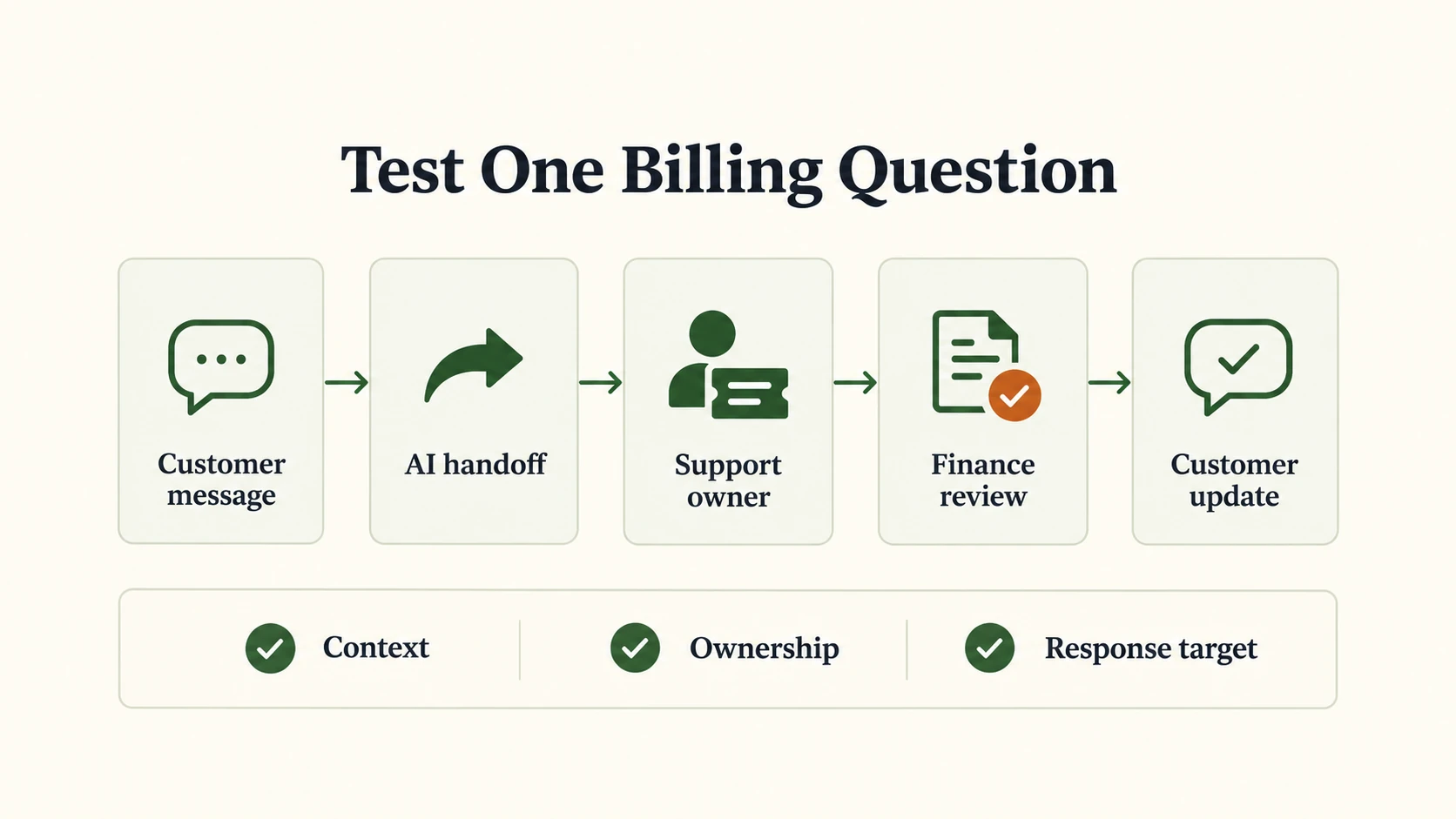
The fastest way to settle Zendesk vs Intercom is one realistic case run in both trials. In this hypothetical, a customer disputes a renewal charge, and finance must approve any exception to the policy.
Illustrative trial case to run in both platforms. It shows what to check, not product test results.
Start a conversation with a fictional account and a sample billing policy. Check that the agent can find the account.
Ask the AI about the charge, then raise an exception that needs finance approval. It should hand over the full context without promising a refund.
Assign an owner and involve finance. Confirm internal notes stay private and the customer knows who replies next.
Apply a sample response target, send the update, and close the case. Check the report reflects any waiting time or missed target.
Record the tier you needed, any manual workarounds, and each billable AI event.
Drop any platform that misses a required channel, owner rule, or service target. Among the rest, pick the one with the lowest full cost and least upkeep. Start with the Zendesk trial or Intercom trial, and get a written quote for seats, AI billing, channels, and add-ons before you sign an annual contract.
Disclosure: AI tools assisted with research organization, drafting, and visual creation. Product statements draw on the linked vendor documentation. The graphics are conceptual illustrations, not screenshots or evidence of product testing.