


Zapier vs Make: Which Is Better for Budget SMBs in 2026?
- June 9, 2026
- 0
Most small businesses do not need the most powerful automation tool. They need one that is reliable, understandable, and does not drain the budget month after month. That
Most small businesses do not need the most powerful automation tool. They need one that is reliable, understandable, and does not drain the budget month after month. That

Most small businesses do not need the most powerful automation tool. They need one that is reliable, understandable, and does not drain the budget month after month. That is exactly where the Zapier vs Make 2026 debate gets interesting for cost-conscious teams.
Both tools let you automate repetitive work without writing code. Both connect hundreds of popular apps. Plus, both have free plans. But the differences in pricing, workflow complexity, and overall value are significant enough to matter when every dollar in your SaaS budget has a job to do.
This is a direct comparison focused on what budget SMBs actually care about: how much it costs, what you get, and where each tool starts to break down.
Both tools are workflow automation platforms. You connect two or more apps, define a trigger (something that starts the workflow), and add actions (things that happen as a result). No code required.
The practical difference is how each tool handles complexity and how it charges you for it.
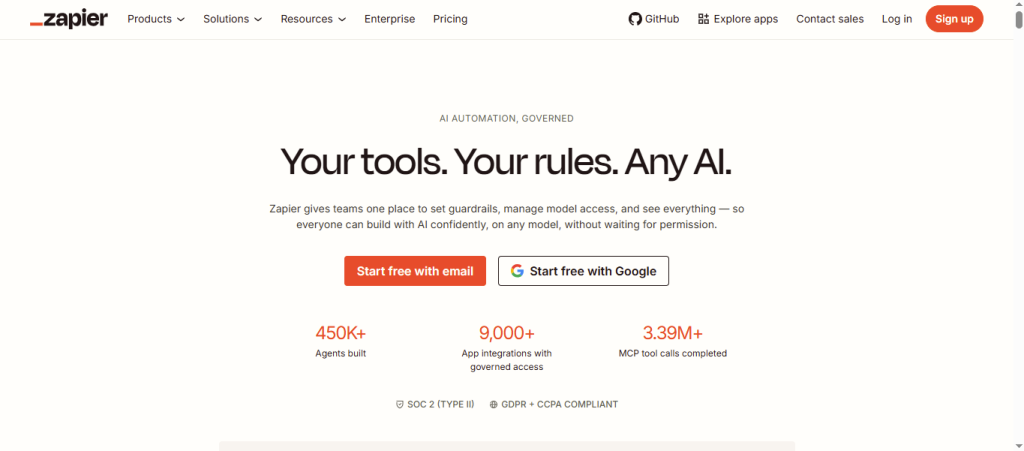
Zapier is built around simplicity. Each automation is called a Zap. You pick a trigger app, add action steps, and you are done. The interface is clean and fast. There is very little to learn before you build your first useful automation.
Make works differently. Automations are called scenarios, and they live on a visual canvas. You can literally see your data flowing between connected apps on screen. This visual approach makes it easier to build more complex workflows with branching logic, filters, and multiple paths.
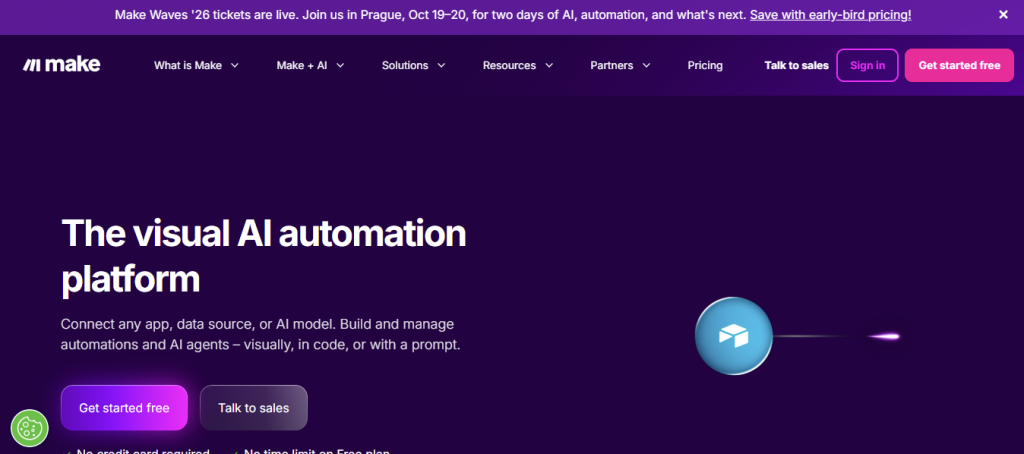
For straightforward automations, Zapier is slightly faster to set up. For anything moderately complex, Make’s canvas actually saves time because you can see what is happening without guessing.
This is the section that matters most for budget-conscious buyers. The pricing models are structured very differently, and understanding that difference can save hundreds of dollars per year.
Zapier charges per task. Each time an action runs inside a Zap, that counts as one task. A three-step Zap that runs 500 times in a month uses 1,500 tasks. Prices are billed annually. Monthly billing adds roughly 20 to 25% on top.
| Plan | Price | Tasks/Month | Zaps |
| Free | $0 | 100 | 5 |
| Starter | $19.99/month | 750 | 20 |
| Professional | $49/month | 2,000 | Unlimited |
| Team | $69/month | 2,000 | Unlimited + Multi-user |
Source: zapier.com/pricing
Make charges per operation. Each module execution inside a scenario counts as one operation. This sounds similar to tasks, but the math works out differently because Make includes data routing and filtering operations at a much lower per-unit rate.
| Plan | Price | Operations/Month | Scenarios |
| Free | $0 | 1,000 | 2 active |
| Core | $9/month | 10,000 | Unlimited |
| Pro | $16/month | 10,000 | Unlimited + priority |
| Teams | $29/month | 10,000 | Unlimited + team features |
Source: make.com/en/pricing
Here is a practical example. An SMB runs 50 automations per month, each with 5 steps, triggering 200 times each. That is 50,000 individual step executions per month.
On Zapier Professional ($49/month), you get 2,000 tasks. That covers only 400 executions of a five-step Zap. To handle the full load, you would need a higher tier, potentially pushing costs to $99 or more.
On Make Pro ($16/month), 10,000 operations covers the same workload with room to spare. For many SMBs, Make delivers the same automation power at 60 to 70% lower cost.
| Feature | Zapier | Make |
| Visual workflow canvas | No | Yes |
| Multi-step workflows | Yes | Yes |
| Conditional logic | Basic | Advanced |
| Error handling | Limited | Built-in |
| Free plan | 100 tasks, 5 Zaps | 1,000 ops, 2 scenarios |
| App integrations | 7,000+ | 1,500+ |
| AI integrations | Yes | Yes |
| Data transformation | Limited | Strong |
| Scheduling options | Yes | Yes |
| Real-time execution | Yes | Yes |
Make’s pricing advantage is real, but Zapier is not losing this comparison everywhere. There are specific situations where Zapier is genuinely the better pick, even for budget SMBs.
App library breadth. Zapier connects over 7,000 apps. Make supports around 1,500. If you use niche industry software, a lesser-known CRM, or a small e-commerce platform, Zapier is more likely to have a native connector.
Setup speed. Zapier’s interface is the fastest to learn in the category. If your team has no prior automation experience and you need something working by end of week, Zapier’s onboarding is genuinely excellent.
Simple, high-volume single-step automations. If most of your Zaps are simple two-step triggers, Zapier’s task counting is not punishing and the Starter plan is reasonably priced for that use case.
Make has a clear structural advantage for teams that want to build real automation without paying enterprise prices.
The operations model scales better. As your automation needs grow, adding more operations in Make is cheaper than upgrading to the next Zapier tier. This matters a lot for growing SMBs who do not want to hit a pricing wall.
The visual canvas reduces mistakes. When you can see your workflow laid out like a diagram, it is much easier to catch logic errors before they cause problems.
Complex workflows are manageable. Things like routing leads based on multiple conditions, looping through lists, handling different error paths, and transforming data mid-flow are all significantly easier to set up in Make.
The free plan is more generous. Make’s free plan includes 1,000 operations per month across two scenarios. For a small business just getting started, that is enough to test real workflows.
New order triggers an email confirmation, a Slack notification to the fulfillment team, a row added to a Google Sheet, and a CRM record update. Four steps per order, running 300 times a month.
On Zapier Starter ($19.99), 750 tasks covers only 187 four-step runs. You would hit the limit before the month ends.
On Make Core ($9), 10,000 operations handles this with 8,800 operations left over.
Make wins here cleanly.
New contact in Typeform goes directly to Mailchimp. One step, 50 runs per month.
On Zapier Free: covered entirely. On Make Free: also covered.
Both work. Zapier is faster to set up for this simple case.
Multiple clients, multiple Zaps running simultaneously, a mix of Google Ads, HubSpot, Airtable, Slack, and Asana automations. About 30,000 operations monthly.
On Zapier, this requires the Professional tier at $49/month minimum, possibly higher. On Make, the Pro or Teams plan at $16 to $29/month handles it.
Make is significantly cheaper at this volume.
If neither Zapier nor Make fits your needs, n8n is the third major player worth evaluating. It is open-source, can be self-hosted for free, and is significantly more powerful for technical teams. For a full breakdown of all three tools, see our comparison of n8n vs Make vs Zapier for 2026.
For SMBs specifically, Make is the strongest Zapier alternative in terms of value. Also worth browsing: our free SaaS tools production-ready guide to understand what you can access without a budget commitment.
| Decision Factor | Choose Zapier | Choose Make |
| 7,000+ app integrations needed | Yes | No |
| Budget is top priority | No | Yes |
| Workflows have 4+ steps | No | Yes |
| Team has zero automation experience | Possibly | No |
| Complex logic without code | No | Yes |
| Free plan needs to do real work | No | Yes |
| Running 5,000+ operations monthly | No | Yes |
Q: Is Make really cheaper than Zapier?
A: Yes, for most real-world SMB workflows. Make’s Core plan at $9/month includes 10,000 operations. Zapier’s equivalent would cost $49/month or more.
Q: Does Make have all the apps I need?
A: Make supports over 1,500 apps, covering the most popular business tools. Check make.com/en/integrations for your specific stack before committing.
Q: Is Make harder to learn than Zapier?
A: Make has a slightly higher learning curve because of its canvas interface. Most users find it clicks within an hour or two of exploring.
Q: Can I switch from Zapier to Make?
A: Yes. Many teams migrate scenario by scenario. Make has documentation specifically for users moving over from Zapier.
Q: What happens if I exceed my Make operations limit?
A: Make pauses your scenarios until the next billing cycle or until you add more operations. You can buy additional operation bundles without upgrading your plan.
Q: Is Zapier worth the price?
A: For simple two-step automations across niche apps, yes. For growing SMBs running complex or high-volume workflows, Make delivers substantially more value per dollar.
FINAL VERDICT
The Zapier vs Make 2026 comparison has a clear winner for budget SMBs: Make.
The pricing gap is not subtle. For teams running real business automation (multi-step workflows, multiple scenarios, consistent volume), Make costs significantly less and gives you more visual control.
Zapier still earns its place when your stack includes obscure apps that Make does not support, or when you need something live with zero learning time.
As a default recommendation for a cost-conscious SMB that wants automation that scales with the business, Make is the smarter starting point in 2026.