HubSpot vs Salesforce 2026: Which CRM Actually Wins for Your Team?
April 25, 2026
0
HubSpot gives growing teams a faster path to aligned marketing and sales with less friction and lower upfront costs. Salesforce delivers unmatched depth for organizations that need heavy
HubSpot gives growing teams a faster path to aligned marketing and sales with less friction and lower upfront costs. Salesforce delivers unmatched depth for organizations that need heavy customization, intricate processes, and enterprise-grade scalability.
A quick scorecard across 10 key areas (scored out of 10 based on 2026 capabilities for typical B2B users):
Category
HubSpot Score
Salesforce Score
Winner
Pricing Transparency
9
6
HubSpot
Ease of Use & Onboarding
9
5
HubSpot
Marketing Automation
9
7
HubSpot
Sales Pipeline Flexibility
7
9
Salesforce
Reporting & Analytics
8
9
Salesforce
AI Capabilities
8
9
Salesforce (edge)
Integrations Ecosystem
7
9
Salesforce
Customization Depth
6
10
Salesforce
Time to Value
9
4
HubSpot
Total Cost of Ownership (mid-market)
8
5
HubSpot
HubSpot edges out for most teams under ~200 users focused on inbound growth. Salesforce pulls ahead when processes get complex or regulatory demands intensify.
This breakdown targets small to mid-market B2B teams still deciding on their primary CRM. Many still rely on spreadsheets, basic tools like Pipedrive or free tiers, or older systems that no longer scale.
It also helps teams actively evaluating a switch. Decision-makers here usually include founders, revenue leaders, or ops managers who need to weigh marketing-sales alignment against long-term flexibility. If you’re past the “just need contacts and deals” stage but not yet running a 500-person global sales machine, the tradeoffs matter most right here.
HubSpot vs Salesforce: Pricing Breakdown
Pricing remains one of the sharpest differences in 2026. HubSpot structures costs around hubs and seats with more predictable bundling. Salesforce charges primarily per user with editions that unlock features incrementally — and often requires separate products for full marketing or advanced AI.
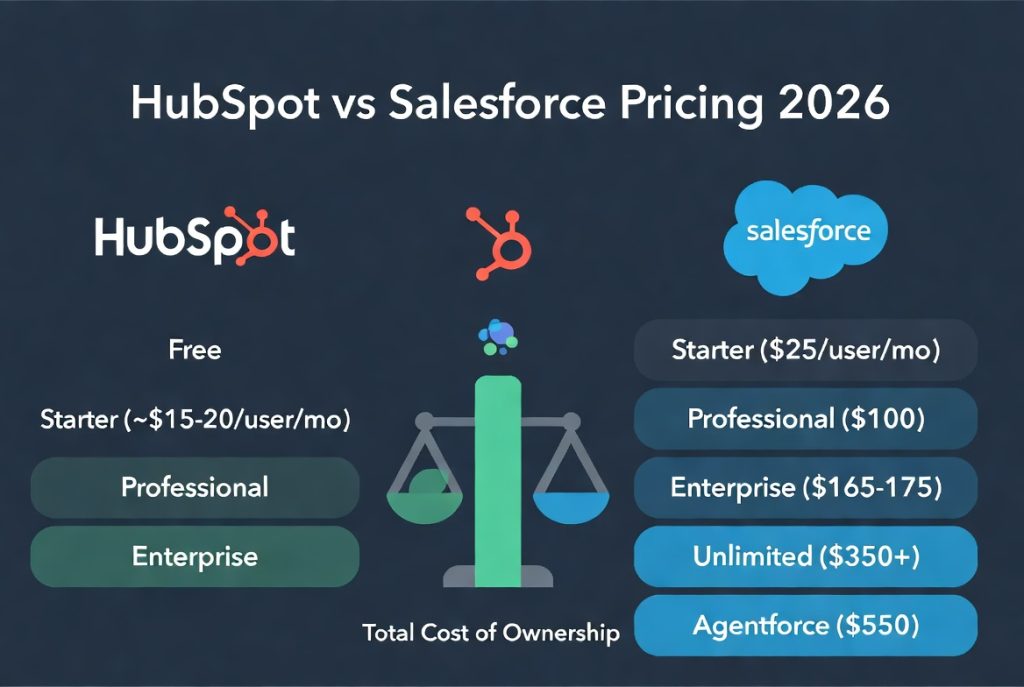
HubSpot Pricing Tiers (2026)
Free CRM: Unlimited users for basic contact/deal management, limited email tracking, and basic forms. Still one of the most generous free tiers.
Starter: Starts around $15–20 per seat/month (or lower with annual deals). Removes branding, adds better sequences and meeting tools.
Professional: Often quoted from ~$800–$1,000/month base (includes several seats). Unlocks advanced automation, custom reporting, and stronger marketing tools.
Enterprise: From ~$3,600/month base (5–10 seats included). Brings predictive scoring, advanced attribution, custom objects, and deeper AI.
Additional seats and marketing contacts add costs, but onboarding fees are lower than Salesforce for most mid-market setups.
Salesforce Pricing Tiers (2026)
Starter Suite / Essentials: ~$25 per user/month. Basic CRM functionality.
Pro Suite / Professional: ~$100 per user/month. Adds forecasting and more automation.
Enterprise: ~$165–$175 per user/month. Advanced customization, API access, and better workflows.
Unlimited: ~$350 per user/month. Removes many limits and includes priority support.
Agentforce 1 Sales: Up to ~$550 per user/month for heavy AI agent usage.
Salesforce often feels more expensive once you factor in add-ons for Marketing Cloud (separate from core Sales Cloud), Data Cloud, or premium AI. Implementation and consulting costs frequently push the first-year total far higher. Understand different SaaS pricing models and how they affect long-term costs.
Hidden Costs and Total Cost of Ownership
HubSpot tends to have lower implementation costs and minimal need for dedicated admins in smaller teams. Salesforce frequently requires consultants, data migration specialists, and ongoing admin resources, sometimes a full-time role. Over three years, mid-market teams (20–50 users) often see HubSpot costing 30–50% less in practice, though Salesforce can justify the premium when heavy customization drives measurable efficiency gains.
A realistic 1-year TCO example for a 25-user team shows HubSpot Professional landing noticeably cheaper than Salesforce Enterprise once add-ons and services enter the picture.
Core CRM Features Head-to-Head
Both platforms handle the basics well in 2026: contact and account management, deal tracking, and activity logging with email and calendar sync.
HubSpot feels more intuitive for teams coming from lighter tools. Its Smart CRM unifies data across marketing and sales without much setup. Salesforce offers deeper relational data modeling but demands more configuration upfront.
Activity logging and email sync work smoothly on both, though HubSpot’s sequences integrate more naturally with marketing campaigns. Mobile apps have improved on both sides; HubSpot’s remains simpler for daily use, while Salesforce provides more robust offline and advanced mobile capabilities for field teams.
Feature-by-feature scoring favors HubSpot for speed and Salesforce for depth.
Sales Pipeline & Deal Management
Pipeline visualization is strong in both. HubSpot offers clean, customizable views that most teams can tweak without help. Salesforce allows extreme granularity — custom objects, intricate stage probabilities, and sophisticated forecasting models that enterprises rely on.
Deal stages, probability scoring, and forecasting lean toward Salesforce for complex B2B cycles with multiple stakeholders or long sales processes. HubSpot’s AI-assisted recommendations (via Breeze) help smaller teams move deals faster without over-engineering.
Sequence and follow-up automation exists on both. HubSpot ties sequences more tightly to marketing nurture paths; Salesforce excels when sequences need to branch based on complex conditions or integrate with external systems.
Marketing Automation: Where HubSpot Pulls Ahead
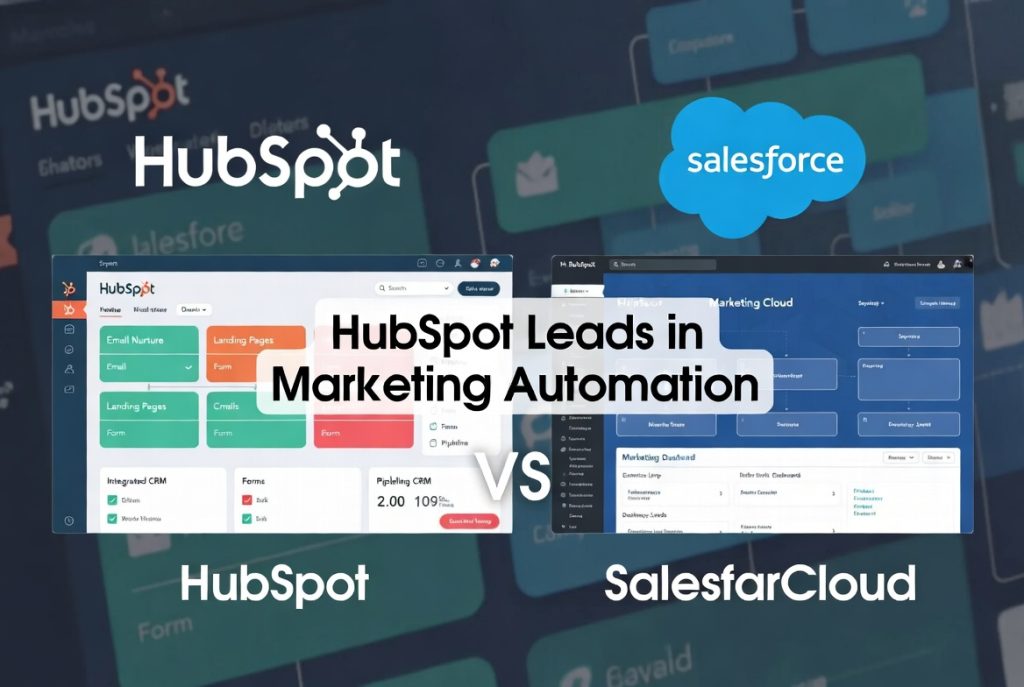
This is the clearest gap. HubSpot’s Marketing Hub integrates natively with its CRM, making it straightforward to build email nurture workflows, landing pages, forms, and attribution models in one place.
Salesforce requires Marketing Cloud (or Account Engagement/Pardot) as a separate product in most configurations. The result is more power for highly complex, multi-channel enterprise campaigns but significantly higher complexity and cost for mid-market teams.
HubSpot still leads for most inbound-focused or content-driven teams. Attribution reporting feels more actionable out of the box. Salesforce can outperform in massive B2C or highly segmented enterprise scenarios, but that rarely applies to the teams reading this comparison.
Reporting & Analytics Compared
HubSpot’s built-in dashboards are clean and sufficient for most growing teams. Custom reporting improves in Professional and Enterprise tiers.
Salesforce Reports and Dashboards remain industry-leading for depth and customization. Teams that live in spreadsheets or need highly tailored executive views often prefer Salesforce. AI forecasting and predictive analytics give Salesforce a slight edge here in 2026, especially with Agentforce enhancements, though HubSpot’s Breeze AI has narrowed the practical gap for everyday use.
Integrations & Ecosystem
Salesforce’s AppExchange offers thousands more apps and proven enterprise integrations. If your stack includes niche industry tools or requires deep custom development, Salesforce wins.
HubSpot’s App Marketplace (now over 1,700 apps) covers the integrations most teams actually need: Slack, Gmail, Zoom, LinkedIn, and popular accounting or support tools. Native connections feel tighter for marketing and sales alignment. API access is solid on both, but Salesforce supports more advanced custom development scenarios.
Ease of Use & Time to Value
Here HubSpot consistently outperforms. Onboarding is faster, the interface requires less training, and most teams see value within weeks rather than months.
Salesforce implementation timelines stretch longer, especially for customized setups. Admin overhead is higher, many mid-market companies end up hiring or contracting specialists. HubSpot rarely needs a dedicated admin until much later in growth.
When to Choose HubSpot (With Real Use Cases)
HubSpot fits best for SMBs and mid-market teams that lead with inbound marketing, want tight marketing-sales alignment, and prefer one platform instead of multiple tools. Real-world examples include content-heavy SaaS companies, agencies, and B2B service firms scaling from 10 to 150 users.
It shines when speed matters and you want to avoid heavy IT involvement. Warning signs that HubSpot may frustrate you: highly regulated industries needing specific compliance workflows, extremely complex deal structures with many custom objects, or requirements for deep legacy system integrations that demand extensive coding.
When to Choose Salesforce (With Real Use Cases)
Salesforce suits enterprise teams or organizations with complex sales processes, heavy customization needs, or plans for multi-cloud deployments. Common fits include large manufacturers, financial services firms, or companies with intricate partner ecosystems.
It rewards investment when you need to model virtually any business process inside the CRM. Warning signs that Salesforce may frustrate you: limited budget for implementation and ongoing admin, preference for quick setup over maximum flexibility, or teams that want marketing and sales tightly unified without managing separate clouds.
The Verdict: Our Recommendation by Team Type
Use this simple matrix:
Small teams (<50 users), marketing-led, moderate complexity: HubSpot — faster ROI, lower cost, better all-in-one experience.
Mid-market (50–200 users), balanced sales/marketing, some customization: HubSpot still edges for most; consider Salesforce only if processes are unusually intricate.
Enterprise or high-complexity processes: Salesforce — the depth and ecosystem pay off over time.
High budget, need extreme scalability: Salesforce.
Lean budget, want quick results: HubSpot.
Many teams start with HubSpot and migrate to Salesforce later as complexity grows. Migration paths exist, though they require planning around data models and custom workflows.
Frequently Asked Questions
Can you migrate from HubSpot to Salesforce?
Yes. Data migration is common, but success depends on how customized your HubSpot instance is. Contacts, companies, deals, and activities transfer reasonably well. Custom workflows and marketing automation need more rework. Plan for 2–6 months and budget for specialists if your processes are complex.
Which is cheaper long-term?
For most mid-market teams, HubSpot delivers lower total cost of ownership over 3 years due to simpler implementation, less admin overhead, and bundled marketing tools. Salesforce can become more cost-effective at very large scale where its efficiencies offset higher license and service fees.
Is HubSpot a real enterprise CRM?
It handles many enterprise needs effectively, especially for marketing-driven organizations. However, for the most extreme customization, multi-cloud complexity, or specific industry compliance requirements, Salesforce still holds the advantage. HubSpot has grown significantly in capability but targets a different balance of power versus simplicity.
Final Verdict / Recommendation
For the majority of teams evaluating HubSpot vs Salesforce in 2026, HubSpot provides the better balance of features, cost, and speed to value, especially when marketing alignment and ease of adoption matter. Salesforce remains the stronger choice when your sales processes are genuinely complex, customization is non-negotiable, or you operate at true enterprise scale with the budget and resources to support it.
Start by mapping your team size, sales cycle complexity, marketing needs, and internal technical capacity. Most growing B2B organizations land on HubSpot today and stay happy longer than they expect. Test both with real data and a small pilot team before committing.