Notion vs Coda: Which All-in-One Workspace Is Right for Your Team in 2026?
May 18, 2026
0
Both Notion and Coda describe themselves as “the operating system for your team’s work.” Both have added AI features, expanded automation, and positioned against the traditional fragmented stack
Both Notion and Coda describe themselves as “the operating system for your team’s work.” Both have added AI features, expanded automation, and positioned against the traditional fragmented stack of Docs + Spreadsheets + Task Manager. The pitch sounds identical until you actually build something in each platform, and then the philosophical difference becomes impossible to ignore.
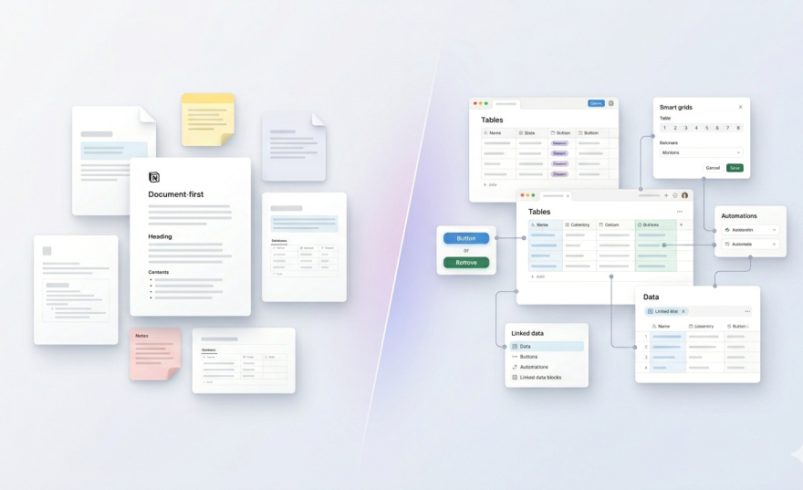
Notion is fundamentally a document-first workspace that has grown more powerful. Coda is fundamentally a database-first application builder that can also write like a doc. That distinction shapes every workflow decision, every pricing scenario, and every team’s long-term experience with either platform.
Comparison Table
Dimension
Notion
Coda
Core Philosophy
Document/wiki-first, databases as enhancement
Database/formula-first, docs as interface
AI Layer
Custom Agents (launched Feb 2026), Notion AI
Coda AI (now part of Superhuman ecosystem)
AI Pricing
Add-on at $10/user/month
Included for Doc Makers
Pricing Model
Per user (all members)
Per Doc Maker only (viewers free)
Automation Depth
Moderate (improving)
Advanced (formula + button-based)
Knowledge Management
Excellent — wiki-style hierarchy
Functional but less wiki-native
App-Like Workflows
Possible but awkward
Native — built for it
Database Row Limits
10,000 rows per database
10,000 rows cross-doc limit
Template Ecosystem
Very large, active community
Smaller, more technically focused
Learning Curve
Moderate
Steeper for non-technical users
Best For
Content, wikis, knowledge bases, notes
Workflows, internal tools, data-heavy ops
Ownership
Independent
Acquired by Superhuman (formerly Grammarly)
Notion in 2026: From Docs to AI Agents
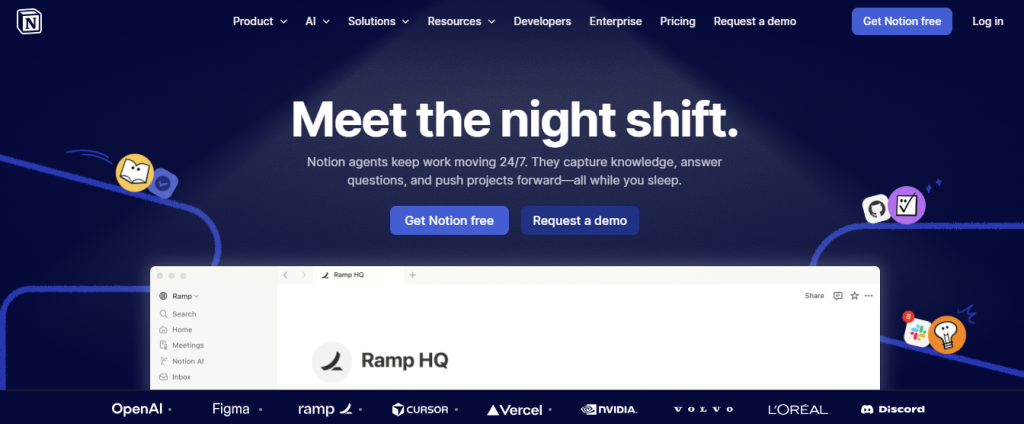
Notion has spent the last 18 months systematically bridging the gap between its document-first roots and the broader workspace ambitions it’s been selling. The most significant development landed in February 2026 with the release of Custom Agents in version 3.3, autonomous AI agents that can execute recurring tasks, synthesize information from across the workspace, and produce structured outputs without manual triggering.
For a platform with 100 million users, the network effects around templates, integrations, and community resources are genuinely unmatched. Searching for a Notion template for almost any workflow category, from product roadmaps to OKR tracking to editorial calendars, produces dozens of high-quality options within minutes. That ecosystem depth is a legitimate competitive advantage that Coda hasn’t replicated at the same scale.
Notion Mail, which reached general availability on macOS in February 2026, brings native email directly into the workspace. AI-powered drafting, auto-labeling, and command-palette shortcuts make it a genuine addition for users who want to centralize communication and knowledge without switching apps. Combined with native calendar integration and AI note-taking for Zoom, Teams, and Google Meet, Notion’s surface area has expanded considerably.
The catch, as it’s always been, is performance. Users running workspaces with hundreds of databases and thousands of pages report meaningful slowdowns. A workspace with 847 pages and 12 databases is not hypothetical; in fact, it’s the reality many scaling teams live in. Notion has improved, but it still doesn’t match Coda’s performance at an equivalent data scale.
Coda in 2026: The Superhuman Era
Coda’s acquisition by Superhuman (formerly Grammarly) is the most strategically significant development in its history. The integration is still early, but what it signals is important: Coda is now part of a broader productivity ecosystem with a parent company known for relentlessly polished, high-performance software design. Coda Brain, the previous standalone AI feature, has been deprecated and folded into Superhuman Go, Superhuman’s broader AI platform.
The practical implication for existing Coda users is a transition period. For new users evaluating Coda in 2026, the AI capabilities feel less clearly defined than they did a year ago, because the integration is still being shaped. Teams evaluating Coda specifically for its AI layer should pressure-test the current state before committing.
What hasn’t changed is Coda’s core technical strength. Its formula language, built on a spreadsheet-like foundation but far more powerful, enables teams to build genuine operational applications, approval workflows, internal CRMs, and project trackers with complex conditional logic without writing a line of traditional code. This capability has no equivalent in Notion at comparable sophistication. If your workspace needs to behave like a custom-built app rather than an organized doc, Coda is the correct choice.
AI Capabilities: Custom Agents vs Formula Automation
Notion’s Custom Agents are designed for autonomous, recurring knowledge work. Set up an agent to synthesize weekly project updates, generate meeting summaries, or build draft content from structured database entries. The credit-based consumption model (for agent runs) means heavy automation users need to model costs carefully; the base subscription price isn’t the full picture.
Coda’s AI automation is more formula-driven. Rather than autonomous agents, Coda excels at building triggered workflows where AI capabilities are embedded directly into the logic of tables and buttons. A button that generates a client proposal from a row of deal data and sends it via email is a classic Coda use case, and it executes reliably at scale.
Neither approach is universally superior. Notion’s agents are better for knowledge synthesis and recurring research tasks. Coda’s formula automation is better for operational workflows where precision and reliability matter more than creative AI output.
Pricing Philosophy: The Critical Structural Difference
This is where most comparisons undersell a genuinely important point. Notion charges per user regardless of role. Coda charges only “Doc Makers” — team members who actually create new documents. Editors and viewers access everything for free.
The financial implication is dramatic at scale. For a 25-person team where 10 members create content and 15 consume it, Notion Business costs approximately $500/month. Coda Pro for the same team costs approximately $100/month. That’s a 80% cost difference driven entirely by pricing model architecture, not feature differences.
This structural advantage makes Coda compelling for organizations with mixed user types, i.e, field teams, clients, and stakeholders, where most participants read and edit but rarely build from scratch. For teams where most users are active builders, the gap narrows considerably.
Notion AI adds another $10/user/month on top of base subscription costs. That matters for budget modeling.
Knowledge Management & Documentation
Notion’s hierarchical, wiki-style architecture is still better suited for knowledge management. The page nesting, linked databases, and breadcrumb navigation create an intuitive information hierarchy that teams can browse without needing to already know what they’re looking for. For companies building internal wikis, onboarding documentation, or company handbooks, Notion’s editorial experience is more natural.
Coda can store and surface documentation, but it lacks Notion’s native wiki depth. Information in Coda tends to live inside tables and docs rather than a browsable hierarchy. Experienced Coda teams work around this, but it requires more deliberate architecture upfront.
Which Teams Fit Each Platform?
Choose Notion if: – Your primary needs are documentation, wikis, and knowledge management – You value a large template ecosystem and active user community – Your team includes non-technical members who need intuitive onboarding – You want native email, calendar, and meeting note-taking in one workspace – Content creation, editorial workflows, or product documentation are central use cases
Choose Coda if: – You need to build app-like internal tools without engineering resources – Your workflows involve complex formulas, conditional logic, or multi-table data operations – Most of your team are viewers/editors rather than document creators (pricing advantage) – You’re replacing a patchwork of separate spreadsheets, forms, and approval workflows – Operational precision and workflow reliability matter more than editorial flexibility
Final Verdict
Notion is the better default workspace for most teams in 2026. Its document-first model is more approachable, its template ecosystem is richer, and the Custom Agents launch has significantly expanded its AI capabilities for knowledge work. For content-heavy teams, marketing organizations, and companies prioritizing internal knowledge management, Notion’s position is strong.
Coda is the better tool for teams that need to build operational systems such as internal CRMs, approval workflows, and data-driven automation without custom software development. Its formula power and maker-based pricing model create advantages that Notion genuinely can’t match in those use cases. The Superhuman acquisition introduces some uncertainty about AI roadmap clarity, but the core product remains technically superior for app-like workspaces.
The biggest mistake teams make is choosing one when they actually need both capabilities. Before committing, identify clearly whether your primary need is a knowledge repository or an operational tool. That single question predicts the correct platform more reliably than any feature comparison.
FAQ Section
Q: Is Coda cheaper than Notion for large teams?
Often significantly so. Coda only charges Doc Makers, while Notion charges every user. For a team with many viewers and few builders, Coda can cost 50–80% less annually.
Q: Does Notion AI cost extra in 2026?
Yes. Notion AI is an add-on at $10/user/month above base plan costs. It’s not included in any default pricing tier.
Q: What happened to Coda Brain after the Superhuman acquisition?
Coda Brain was deprecated and its AI capabilities were folded into Superhuman Go. The integration is still developing as of mid-2026.
Q: Can Notion replace a project management tool?
For basic to medium project workflows, yes. For sophisticated sprint management, engineering-specific workflows, or enterprise portfolio oversight, Notion’s PM capabilities hit real limits. Consider pairing it with a dedicated PM tool for those use cases.
Q: Which platform has better database capabilities?
Coda’s formula language and cross-table relationships are technically more powerful than Notion’s databases. Notion’s databases are more approachable for non-technical users and better suited for smaller-scale data management.