

Pipedrive vs HubSpot: Which CRM Is Better?
- October 23, 2026
- 0
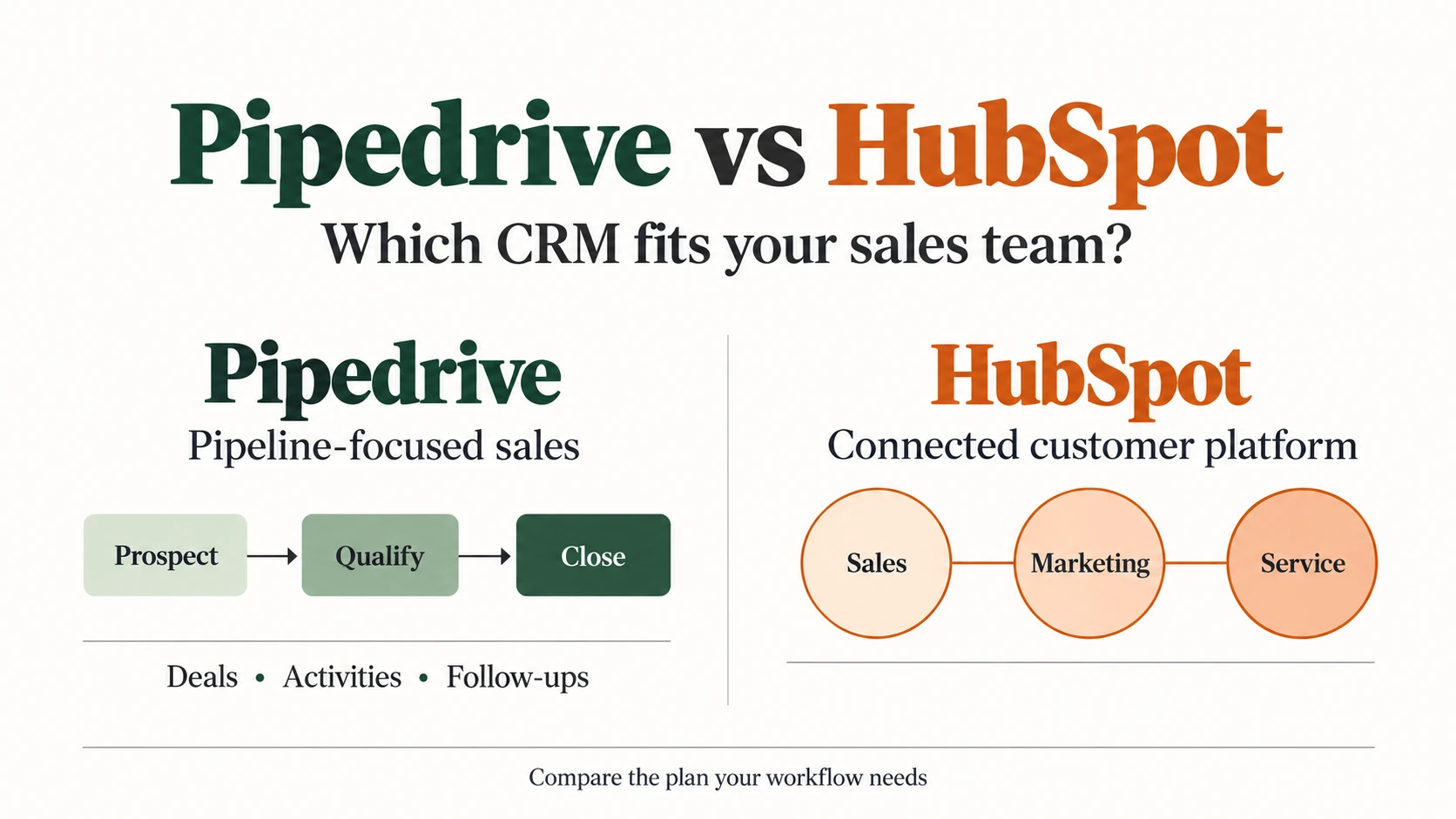
For growing sales teams comparing Pipedrive vs HubSpot, Pipedrive is the stronger starting point when the main job is managing deals and follow-ups. HubSpot deserves a closer look

For growing sales teams comparing Pipedrive vs HubSpot, Pipedrive is the stronger starting point when the main job is managing deals and follow-ups. HubSpot deserves a closer look
For growing sales teams comparing Pipedrive vs HubSpot, Pipedrive is the stronger starting point when the main job is managing deals and follow-ups. HubSpot deserves a closer look when sales needs to work alongside marketing and customer service on a shared platform. However, the better choice depends on the features your team needs and the plan that provides them.
A low entry price can hide an expensive upgrade. Equally, a broader platform adds little value if your reps only need a reliable pipeline. This comparison focuses on daily sales work, automation, reporting and the cost of supporting those tasks as your team grows.
Last reviewed: 23 October 2026. Pricing verified: October 2026. This is a documentation-based comparison, not a hands-on product test.
Start with the work your CRM must support. Both products can organize sales opportunities, but they package the surrounding tools differently.
|
Your Priority |
Pipedrive |
HubSpot |
|---|---|---|
|
Deal management |
Pipeline-centered approach to sales work |
Sales tools within a broader customer platform |
|
Follow-up automation |
Growth and higher plans |
Sequences require eligible Professional or Enterprise access |
|
Marketing coordination |
Assess Campaigns and other connections separately |
Assess Marketing Hub alongside Sales Hub |
|
Reporting |
Sales activity and pipeline analysis |
Sales reporting with options across other Hubs |
|
Evaluation |
14-day trial |
Free tools; request access to evaluate gated features |
|
Main buying question |
Does this plan cover our sales process? |
Which Hubs, seats and tiers do we actually need? |
This is a comparison of buying priorities, not a feature-equivalence rating. Check the plan details before assuming that a capability exists at every tier.
Pipedrive puts the pipeline at the center of its sales workflow. Its pipeline management tools support customizable stages and activities, which makes it a sensible shortlist candidate for teams managing a defined sales process.
For example, a rep might move a qualified opportunity into a proposal stage, add its value and schedule the next call. The useful question is whether another rep can open that deal and quickly understand what should happen next.
HubSpot Sales Hub also supports sales work, while its CRM connects customer records with the wider platform. That matters when a rep needs context from another department rather than only the latest sales activity.
During evaluation, give both products the same sample opportunity. Check whether the owner, contact history, expected close date and next action are easy to find. A longer feature list cannot answer that usability question for your team.
Separate pipelines can help when different deals follow genuinely different steps. New-business sales and renewals, for instance, may need different stages and reporting.
However, creating a pipeline for every minor variation can make the system harder to maintain. First decide which differences need separate stages and which belong in a field, such as service type or region.
Then check pipeline limits, required fields and permissions in the relevant plan. Ask a manager to review several reps’ opportunities without changing ownership. This reveals whether the setup supports team oversight as well as individual selling.
A sequence organizes a series of sales follow-ups. A workflow responds to a trigger, such as a deal entering a new stage. The distinction matters because a team may need one without needing every part of the other.
Pipedrive automations are available on Growth and higher plans. They pair a trigger with an action, such as creating an activity after a deal changes. This can reduce repeated administrative work, provided the rules match the way the team actually sells.
In contrast, HubSpot sequences require an eligible Professional or Enterprise subscription and an assigned Sales or Service seat. They combine timed emails with tasks and can stop when a contact replies or books a meeting. Sending also requires a connected individual work inbox.
Check the exact enrollment method separately. Access to sequences does not establish that every automated enrollment option is included in the same tier.
HubSpot is worth considering when a sales handoff depends on marketing activity. Its Marketing Hub provides a separate set of marketing capabilities around the shared customer platform. However, buying Sales Hub does not automatically provide the full marketing feature set.
Pipedrive buyers should assess Campaigns, other add-ons and existing marketing tools against the same handoff. If your current marketing system works well, replacing it may create unnecessary work. If information repeatedly disappears between systems, a more connected setup may justify its cost.
Use one illustrative scenario: a prospect requests information, receives an owner and enters the sales pipeline. Then check what the rep can see, which steps need a paid feature and who handles a failed handoff.
Useful reporting should help a manager make a decision. Start with overdue follow-ups, stage conversion, pipeline value and expected revenue rather than a dashboard full of unused charts.
Pipedrive reporting focuses on sales performance, activities and pipeline analysis. HubSpot’s reporting options can suit broader questions, but their usefulness depends on the available data and purchased products. Confirm the required report against the HubSpot product catalog.
For a fair test, ask both tools the same question: which opportunities need attention this week, and why? Then check filters, ownership and the detail behind each result. An AI-generated summary still needs accurate records and a manager who can verify its explanation.
The relevant price is the cost of the plan that supports your workflow. Pipedrive vs HubSpot pricing becomes misleading when a basic contact-management tier is compared with a more capable sales subscription.
The following figures reflect published US-dollar pricing checked on 23 October 2026. Taxes, negotiated discounts and optional purchases are excluded.
|
Product And Plan |
Published Price Basis |
Buying Detail |
|---|---|---|
|
Pipedrive Lite |
$14 per seat per month, billed annually |
Basic pipeline starting point |
|
Pipedrive Growth |
$39 per seat per month, billed annually |
Adds email sync, automations and nurturing sequences |
|
Pipedrive Premium |
$59 per seat per month, billed annually |
Adds lead routing and enhanced customization |
|
Pipedrive Ultimate |
$79 per seat per month, billed annually |
Adds security controls and a sandbox |
|
HubSpot Free |
$0; up to two users on the sales pricing page |
Evaluate basic tools, not paid sequence capabilities |
|
HubSpot Sales Hub Starter |
Catalog starts at $20 per Core Seat per month |
Promotional offers may differ |
|
HubSpot Sales Hub Professional |
Sales page shows $90 per seat per month with annual payment |
Required $1,500 onboarding listed separately |
|
HubSpot Sales Hub Enterprise |
Starts at $150 per Sales Seat per month, billed annually |
Required $3,500 onboarding listed separately |
Sources: Pipedrive pricing, HubSpot Sales Hub pricing and the HubSpot catalog.
HubSpot also displays a $100 Professional rate and different payment options. Therefore, confirm the selected billing schedule, commitment and offer in your quote. Do not use a temporary Starter promotion to forecast the long-term cost of paid sales automation.
Consider a hypothetical team with five people who all need paid sales follow-up tools. The example below uses Pipedrive Growth and HubSpot Sales Hub Professional. It compares subscription baselines, not identical feature bundles.
|
Cost Item |
Pipedrive Growth |
HubSpot Sales Hub Professional |
|---|---|---|
|
Assumed seats |
5 |
5 |
|
Monthly equivalent per seat |
$39 |
$90 |
|
Annual subscription calculation |
5 × $39 × 12 |
5 × $90 × 12 |
|
Annual subscription |
$2,340 |
$5,400 |
|
Vendor onboarding included in example |
$0 assumed; optional help excluded |
$1,500 listed required fee |
|
First-year baseline |
$2,340 |
$6,900 |
|
Later annual subscription at unchanged rates |
$2,340 |
$5,400 |
These calculations assume annual payment and unchanged prices. They exclude migration labor, tax, add-ons, additional Hubs and usage charges. Pipedrive’s $0 onboarding assumption means no paid onboarding service has been added to this scenario; it does not mean implementation takes no time or money.
If the applicable HubSpot quote uses $100 per seat per month instead, five seats would cost $6,000 annually, or $7,500 in the first year including that onboarding fee. Confirm the quote before setting a budget.
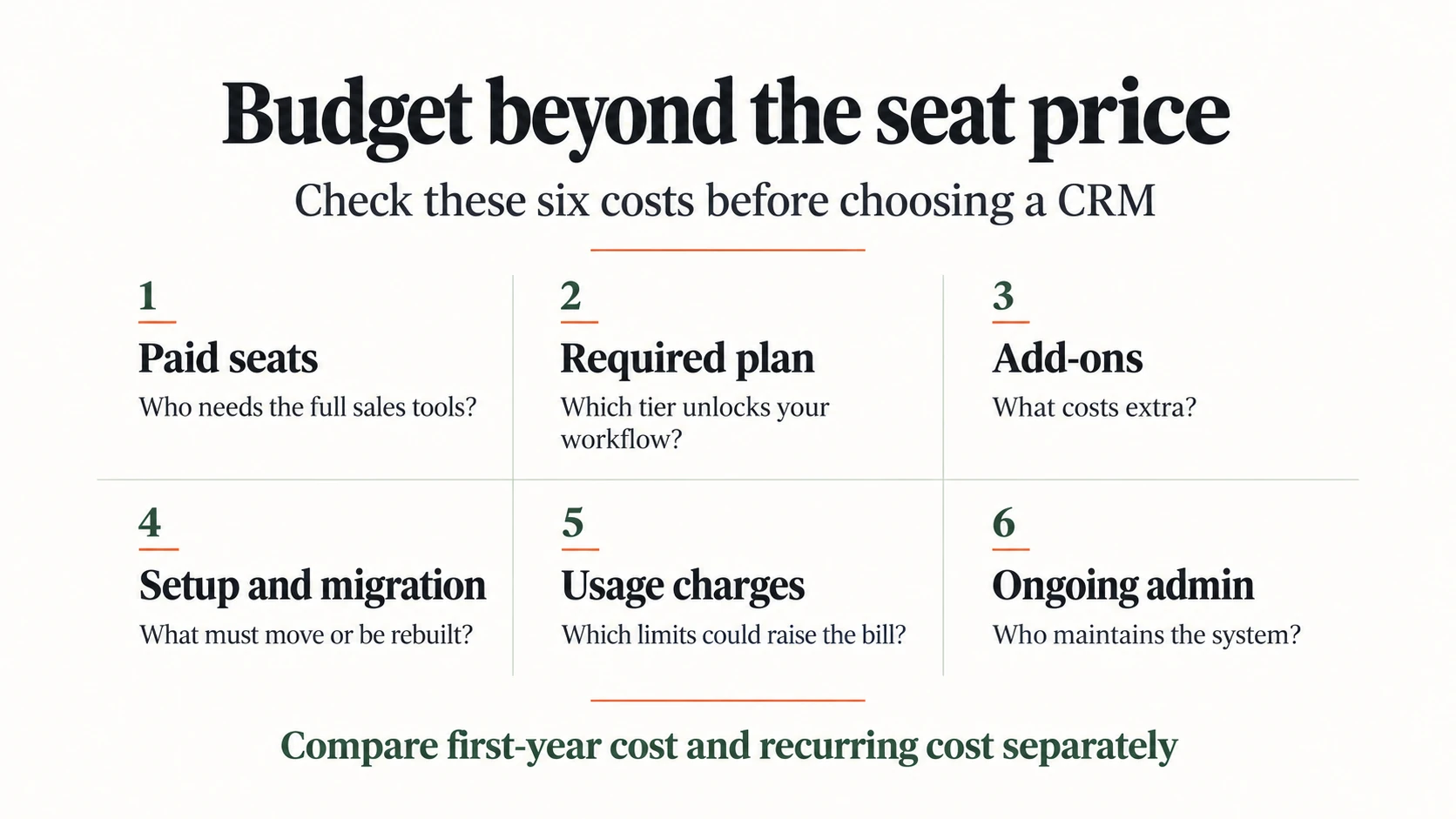
Pipedrive billing depends on the plan, purchased seats, billing cycle, add-ons and top-ups. It charges for a seat even when no user occupies it. Therefore, remove unused capacity when it no longer serves a purpose, subject to your contract terms.
For HubSpot, distinguish paid sales access from other seat types. Also check additional products and credit-consuming features in the quote. Extra access, usage and implementation work can change the economics of an otherwise attractive subscription.
Finally, allow time for someone to maintain fields, permissions, reports and automation. A system that needs regular repair has a real operating cost, even when no vendor invoice labels it as administration.
Start with the tools your team already relies on: email, calendar, calling, accounting and post-sale delivery. Both the Pipedrive Marketplace and HubSpot Marketplace offer connections, but a marketplace listing alone does not establish that your exact workflow works.
For each essential integration, check which records move, in which direction and how often. Then ask what happens when a field changes, a record duplicates or the connection fails. Include any connector subscription in the budget.
This is especially important for a closed-won handoff. Moving a deal into delivery should create useful work for the next team, with the right owner and context. Test that transition rather than assuming that two connected products share everything automatically.
Migration includes more than a list of names and email addresses. Contacts need the correct companies, deals need owners, and stage names need to match the new sales process.
HubSpot’s import guidance explains identifiers and record associations. Use those requirements to prepare a small sample before moving the full database. For either destination, check several complete relationships rather than only the total number of imported records.
Also review activities, notes, email history, permissions and reporting. Some items may need a separate migration method or manual rebuilding. Keep an export of the original data, then compare the sample with its source before approving a larger move.
Pipedrive is a sensible shortlist choice when the immediate need is a manageable pipeline and consistent follow-up. However, a founder who already runs marketing in HubSpot may gain more from keeping customer information together.
Choose based on the process you need now and the likely next change. Hiring another rep, adding a renewal process or introducing automated outreach creates different requirements. Our guide to CRM software for small businesses helps frame that wider selection.
HubSpot becomes more compelling when teams need shared customer context and can justify the relevant subscriptions. The value depends on departments actually using that shared information and agreeing on ownership.
For agencies, separate your own sales pipeline from the work you manage for clients. Those needs can call for different systems or account structures. The marketing agency CRM guide examines that more specific buying problem.
Neither option should win by default if your essential data or workflow does not fit. For example, a team managing unusual relationship structures may need to investigate a different approach to CRM records.
Our Attio vs HubSpot comparison provides another direction to explore. Keep the same buying criteria when reviewing Pipedrive alternatives so that an appealing interface does not distract from missing functionality.
Pipedrive Growth costs less than HubSpot Sales Hub Professional in the five-seat example above. However, HubSpot offers free tools, and the paid plans cover different capabilities. Compare the subscriptions and extras your team needs rather than treating one example as a universal price verdict.
Yes, HubSpot can support core sales work, but replacement depends on your required features and data. First test pipelines, follow-ups, reporting and integrations. Then check the paid tier and migration work before assuming the switch will improve the team’s routine.
Yes, for the sequence capabilities discussed here. Pipedrive lists nurturing sequences in Growth, while HubSpot requires eligible Professional or Enterprise access with the appropriate seat. A free CRM account and a paid sales automation plan are different purchasing decisions.
Choose Pipedrive when its sales workflow covers your needs at a cost you can support. Choose HubSpot when its wider customer platform solves a coordination problem worth the additional investment.
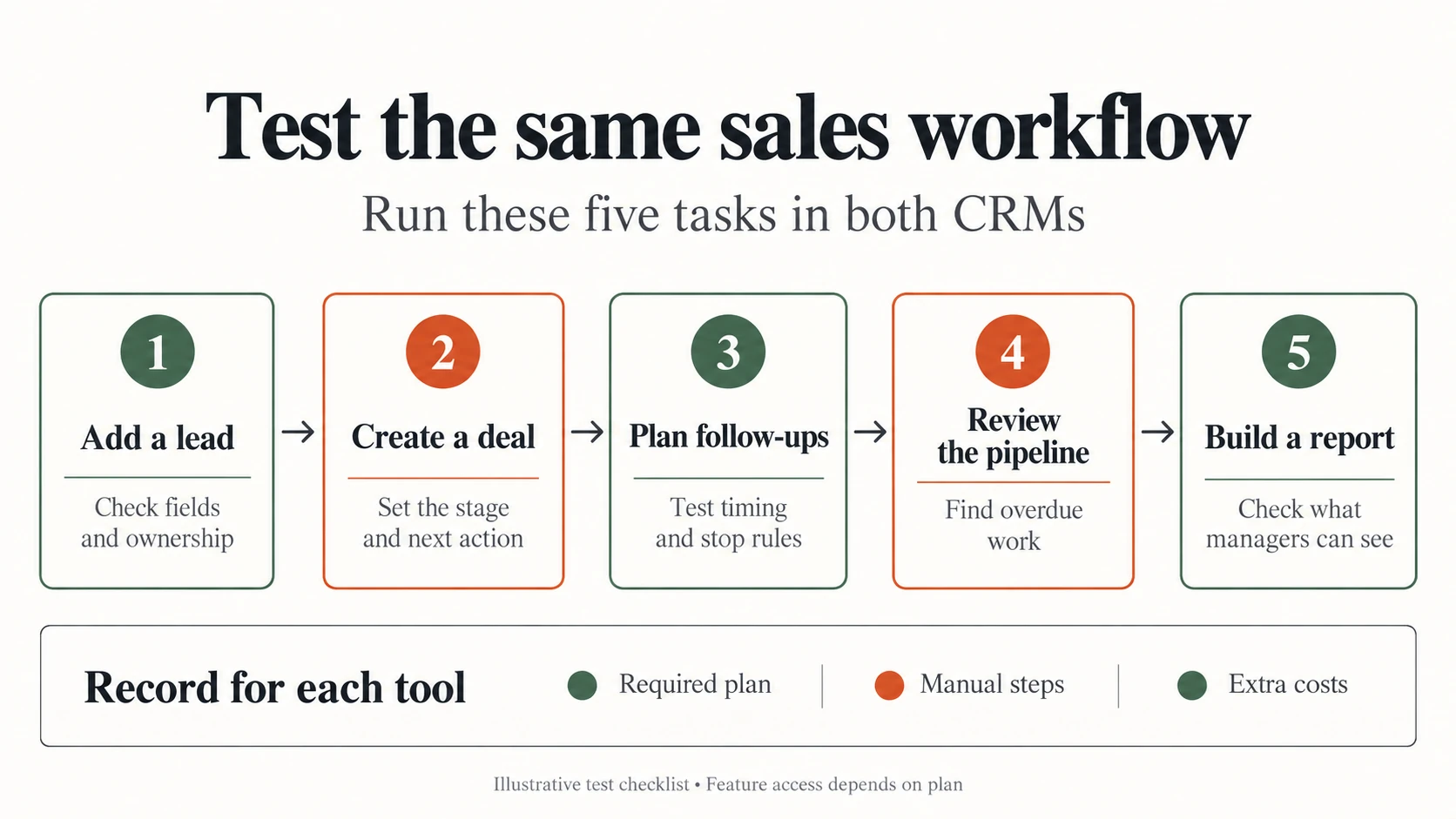
Before buying, take one sample lead through both tools: assign an owner, create a deal, plan follow-ups, review overdue work and build the manager’s report. Record the required plan, manual steps and extra costs. Use fictional or authorized test contacts.
Start with Pipedrive’s trial and HubSpot’s free tools or sales demo. Ask for a demonstration of any paid feature you cannot access. Then commit to the CRM that passes your essential tasks within budget, rather than the one with the longest feature list.
Disclosure: AI tools assisted with research organization, drafting and visual creation. Product statements draw on the linked public documentation. The graphics are conceptual illustrations, not screenshots or evidence of product testing.