


Best Affordable SaaS Tools for Growing Teams on Lean Budgets
- April 3, 2026
- 0
Growing a team is exciting until the software bills start stacking up. At first, most teams rely on free tools and quick fixes. However, as operations expand, those
Growing a team is exciting until the software bills start stacking up. At first, most teams rely on free tools and quick fixes. However, as operations expand, those
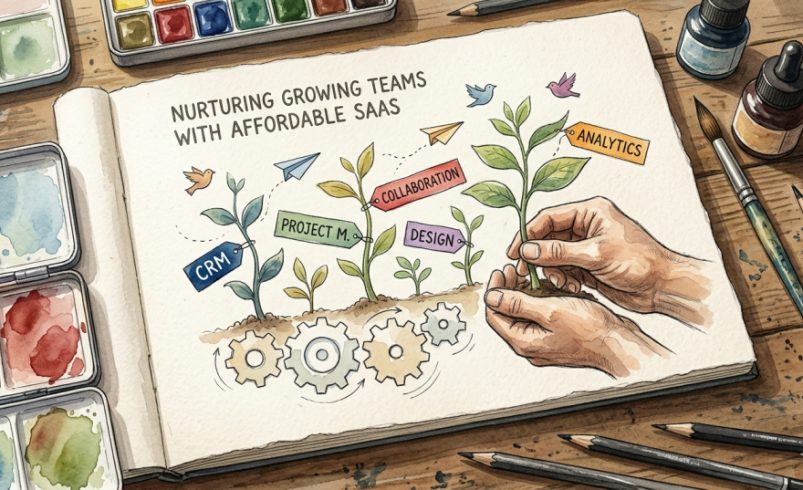
Growing a team is exciting until the software bills start stacking up.
At first, most teams rely on free tools and quick fixes. However, as operations expand, those tools break down. You need automation, collaboration, analytics, and reliability. Yet at the same time, budgets remain tight.
So the real question becomes:
How do you scale your team without overspending on SaaS?
This guide answers that, with carefully selected, affordable SaaS tools that deliver real value without bloated pricing. More importantly, this list focuses on tools that growing teams actually stick with, not just trial and abandon.
Before jumping into tools, it’s important to define “affordable.”
Cheap tools often:
On the other hand, affordable SaaS tools:
In other words, affordability is about value per dollar, not just price.
Below is a curated list based on usability, pricing transparency, and long-term value.
Notion has become a go-to tool for startups and lean teams—and for good reason.
Why it stands out:
Instead of paying for multiple tools (docs, wikis, task managers), Notion combines everything into one flexible workspace.
Key Features:
Pricing Insight:
Best For:
Teams that want to reduce tool overload and centralize operations.
👉 For a deeper breakdown of similar tools, you can explore this comparison on
Best Project Management Tools for Software Teams.
ClickUp positions itself as the “one app to replace them all.” While that’s ambitious, it comes close.
Why it works for growing teams:
You get enterprise-level features at a fraction of the cost.
Key Features:
Pricing Insight:
Best For:
Teams scaling operations and needing structured workflows.
Email breaks quickly when teams grow. Slack solves that—but many teams worry about cost.
The reality: Slack’s free version works surprisingly well for small teams.
Key Features:
Pricing Insight:
Best For:
Teams moving away from email chaos.
CRMs often become expensive fast. However, Zoho flips that model.
Why it’s a smart pick:
It offers deep functionality without Salesforce-level pricing.
Key Features:
Pricing Insight:
Best For:
Sales-driven teams on a tight budget.
Expert Recommendation: Finding the right software to manage your customers is critical for growth. For a full breakdown of the top market contenders, read our detailed guide on the best CRM for small businesses to find the perfect match for your workflow.
Design can drain budgets quickly. Canva removes that barrier.
Why teams love it:
It enables non-designers to create professional visuals.
Key Features:
Pricing Insight:
Best For:
Marketing teams and founders handling their own design.
Airtable sits between spreadsheets and full databases.
Why it matters:
Growing teams often outgrow Excel—but don’t need complex systems yet.
Key Features:
Pricing Insight:
Best For:
Teams managing structured data without engineering support.
HubSpot is often seen as expensive, but its free tools are underrated.
What makes it different:
Unlike many “free SaaS tools,” HubSpot’s free tier is production-ready.
Key Features:
Pricing Insight:
Best For:
Early-stage marketing and sales teams.
👉 You can also check tool comparisons and alternatives here on saascomparely.org.
Not every team needs complexity.
Trello proves that simplicity can scale—if used correctly.
Key Features:
Pricing Insight:
Best For:
Small teams that prefer visual workflows.
Even affordable tools can become expensive if chosen poorly. Therefore, you need a strategy.
Many teams pay for multiple tools that do the same thing. Instead:
Switching tools later costs time and money.
So ask:
A $10 tool that saves hours is better than a $5 tool that creates friction.
Most SaaS platforms offer free trials or plans. Use them:
Avoid these pitfalls:
Low cost doesn’t equal value.
Disconnected tools create inefficiencies.
Some tools:
Constant tool switching kills productivity.
This is where many teams get stuck.
On the other hand:
The smartest approach?
👉 Start free, then upgrade strategically when needed.
Scaling a team on a budget doesn’t mean cutting corners.
Instead, it means:
The tools listed above aren’t just “cheap SaaS”—they’re battle-tested solutions used by real teams.
If you build your stack wisely, you won’t just save money—you’ll create a system that supports long-term growth.